
The global demand for technical skills continues to reach new heights. In today’s digital economy, coding is no longer restricted to software engineers. Marketers utilize SQL to query databases, product managers read HTML/CSS to guide designers, and data analysts write Python scripts to automate reports. However, learning to code from heavy academic textbooks or long-format video courses can be intimidating for beginners.
To lower the barrier to entry, interactive, mobile-first educational platforms emerged. Leading this category is Mimo.
Designed to be the “Duolingo for coding,” Mimo has gamified the learning process, turning programming lessons into bite-sized daily challenges.
In this comprehensive, 1600-word review, we will evaluate the Mimo coding app. We will examine its primary learning paths (Web Development, Python, and SQL), compare its free version against its paid Mimo Pro subscription, analyze its coding playground and certifications, outline pricing structures, and discuss its pros and cons.
What is Mimo?
Mimo is a mobile and web-based educational application developed by Mimo GmbH, based in Vienna, Austria, and launched in 2016.
With over 20 million users worldwide, the app’s core philosophy is to make coding accessible to anyone with a few spare minutes a day.
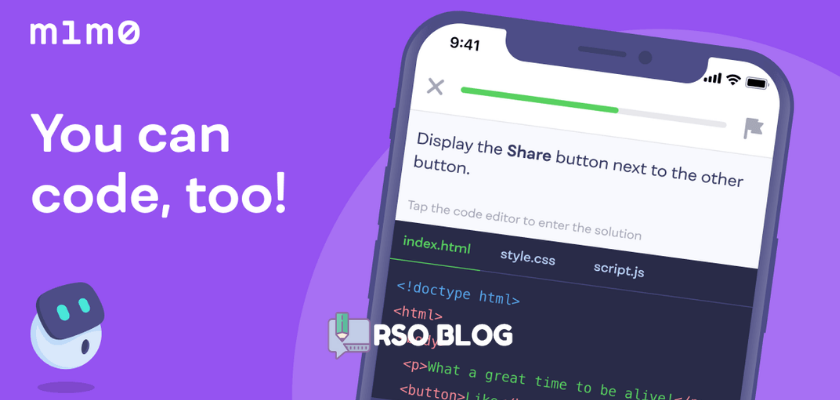
Instead of requiring users to install complex local compilers or terminal interfaces, Mimo integrates a web-based code editor directly into its interface. Users write, debug, and run code on their smartphones or laptops, receiving immediate on-screen feedback.
Core Learning Paths and Languages
Mimo organizes its curriculum into three structured paths, allowing beginners to choose tracks that align with their goals:
1. Web Development Path
This is the most comprehensive path on the platform, designed to teach the foundations of building websites:
– HTML (HyperText Markup Language): Structuring headers, text, images, and buttons.
– CSS (Cascading Style Sheets): Styling layouts, coloring pages, and implementing responsive grid formats.
– JavaScript: Adding interactivity, animation, and logic to web pages.
– React (Advanced): Building scalable web applications using components.
– End Goal: Build responsive landing pages, personal portfolio sites, and interactive web tools.
2. Python Path
Optimized for data science, automation, and general software engineering:
– Introduces variables, lists, loops, dictionary objects, and functions.
– Teaches object-oriented programming (OOP) principles.
– Guides users through data analysis using popular libraries like Pandas.
– End Goal: Build automation scripts, command-line tools, and data charts.
3. SQL Path (Database Management)
Designed for data analysts and business professionals:
– Teaches relational database structures.
– Explains how to query databases using standard commands (SELECT, WHERE, JOIN).
– Guides users through filtering, sorting, and aggregating data to extract insights.
– End Goal: Query complex databases and generate performance reports.
Core Features of the Mimo App
Mimo uses gamification and practical tools to maximize retention:
1. Interactive Bite-Sized Lessons
Lessons are designed to be completed in 2 to 5 minutes, making it easy to study during daily commutes, coffee breaks, or down periods. The lessons combine multiple-choice questions, drag-and-drop code blocks, and manual typing challenges.
2. Mimo Playground (Mobile IDE)
The platform features Mimo Playground, a fully functional mobile code editor:
– Write and run HTML, CSS, JavaScript, Python, and SQL code from scratch.
– Save your custom projects to share with friends.
– Play in a sandboxed environment to test ideas outside the linear lesson tracks.
3. Portfolio Projects
As you progress through a learning path, Mimo assigns real-world projects:
– Building a text-based adventure game in Python.
– Creating a personal resume website in HTML/CSS.
– Designing a search database for a fictional retail company.
– These projects help users build a basic portfolio to display on GitHub.
4. Certifications of Completion
Upon finishing a learning path, Mimo Pro users receive a digital certificate of completion. While these certificates do not replace university degrees, they act as useful additions to resumes and LinkedIn profiles, demonstrating dedication to self-learning.
Free Tier vs. Mimo Pro Subscription
Understanding Mimo’s freemium limits is important before purchasing a subscription:
1. The Mimo Free Plan
Free users receive access to basic introductory lessons but face several restrictions:
– Hearts System: Similar to language learning apps, you start with a set of hearts. Making mistakes during coding exercises costs a heart. If you run out of hearts, you must wait for them to recharge over time or spend earned XP points to continue.
– Commercial Ads: Banners and full-screen video ads play between lessons.
– Limited Playground: Restricted project downloads and lack of portfolio access.
2. The Mimo Pro Plan
Upgrading to Mimo Pro removes all learning speed limits:
– Unlimited Hearts: Practice without fear of being locked out of the app.
– Ad-Free Learning: 100% ad-free coding environment.
– Unrestricted Access: Unlocks all portfolio projects, playground tools, and certifications.
Subscription Pricing and Plans
Mimo Pro is offered under monthly and annual billing cycles:
| Plan Option | Monthly Price | Annual Price | Key Inclusions |
|---|---|---|---|
| Mimo Free | Free | N/A | Basic lessons, hearts system, standard editor access, ad-supported |
| Mimo Pro Monthly | $9.99 / month | N/A | Ad-free, unlimited hearts, playground access, portfolio projects, certifications |
| Mimo Pro Annual | N/A | $79.99 / year (Save 33%) | Best value; reduces effective monthly cost to approx. $6.66 / month |
Legitimate Ways to Access Mimo Pro
If you want to test Mimo Pro’s coding tools, consider these official channels:
1. 7-Day Free Trial
Mimo offers a standard 7-day free trial of the Pro membership on mobile app marketplaces (Google Play and Apple App Store). This trial unlocks all learning paths, unlimited hearts, and the playground. To avoid charges, cancel the trial in your device’s app subscription dashboard before the 7th day.
2. Student Discounts
Mimo offers verified college students up to 50% off the annual Mimo Pro plan. You must submit verification (usually through your student portal or .edu email address) on Mimo’s academic discount page to receive the discount code.
Pros and Cons of the Mimo App
Pros:
- Excellent Gamification: Daily streaks and leagues keep users motivated.
- Mobile Code Editor: Writing and running code on a phone is smooth and intuitive.
- Practical Paths: Web development and Python tracks are highly relevant for modern careers.
- Printable Certificates: Adds value to personal portfolios and CVs.
- Bite-Sized Lessons: Easy to build a daily habit of learning.
Cons:
- Basic Level Limitations: Gamified apps cannot replace full development projects on local computers; they are best viewed as introductory tools.
- Restrictive Hearts System: The free tier’s heart cap can frustrate users who make syntax mistakes.
- Limited Language Depth: Focuses heavily on Python, JavaScript, HTML/CSS, and SQL; lacks support for C++, Java, or Go.
Conclusion
The Mimo coding app is an outstanding, highly polished educational utility that successfully makes learning to code fun and accessible. By combining a Duolingo-style gamified map with mobile-friendly code compiling, interactive playgrounds, portfolio projects, and digital certifications, the platform provides a complete coding academy in your pocket.
While it lacks the depth required to master professional software engineering entirely, its affordable annual plan, student discounts, and generous free trials make Mimo Pro a highly recommended service for beginners looking to build coding habits, learn programming fundamentals, and start their web development or data science journeys.

